
Download gContacts – contact manager, phone book, Android app, contact list, contact organizer, contact database, contact backup, contact search, contact group, contact sharing, contact import, contact export
Overview
gContacts is a free Android application developed by y.gphonebook, designed to serve as a comprehensive contact management tool for mobile users. The software aims to enhance the standard phonebook experience by introducing streamlined functionality focused on clarity, simplicity, and ease of use. While most Android devices come with a built-in contact system, gContacts offers a dedicated alternative with a suite of supplementary tools tailored to improve accessibility and organization. It is particularly suited for individuals who manage a large volume of contacts or require advanced organizational features beyond basic phonebook functions.
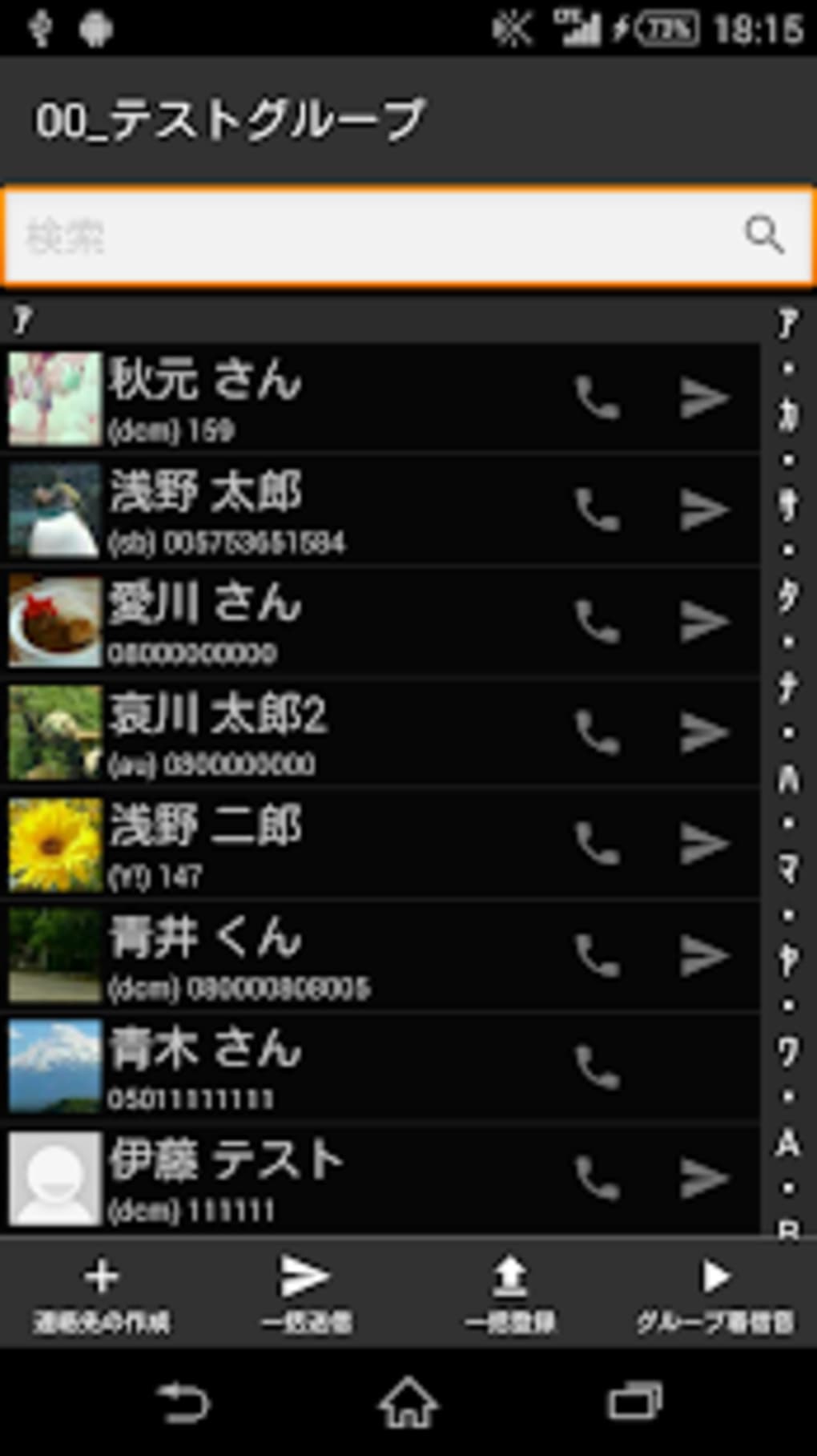
The app supports quick access to frequently used contacts via a shortcut button, a function dialer for direct calling, and a powerful search system that allows users to locate contacts by name, nickname, phone number, email address, or company name. It also includes a group management system that enables users to create, launch, and register contact groups, which can be useful for business or personal communication workflows. The software integrates with Bizcaroid, a card reader tool, to facilitate contact data capture from physical business cards, enhancing its utility for networking and professional use.
Additionally, gContacts provides import and export capabilities for contact data, allowing users to back up their information or transfer it across devices. Features such as bulk email support (TO, CC, BCC), outgoing prefix settings, and customizable layouts further expand its functionality. The app is ideal for professionals, frequent communicators, and users seeking a more efficient and organized way to manage their digital contact ecosystem.
Key Features & Capabilities
- Quick Contact Access: A dedicated shortcut button enables immediate access to frequently used contacts, reducing navigation time and improving workflow efficiency.
- Advanced Search Functionality: Users can search contacts using multiple criteria, including name, nickname, phone number, email, and company name, ensuring fast and accurate results.
- Contact Group Management: The app allows users to create, launch, and register contact groups, which can be used for targeted messaging or call distribution.
- Group Shelf Registration: This feature supports the storage and organization of multiple contact groups, enabling users to manage different sets of contacts for various purposes.
- Sortation Tool: A built-in sorting system helps users organize contacts based on custom criteria, improving readability and accessibility.
- QR Code Display: The app includes a display function for QR codes, facilitating easy sharing of contact information via scan-based exchange.
- Integration with Bizcaroid: Seamless compatibility with Bizcaroid allows users to import contact data directly from physical business cards, streamlining contact entry.
- Import and Export Functions: Users can back up contact data or transfer it between devices using robust import and export tools.
- Bulk Email Capabilities: Supports mass emailing with TO, CC, and BCC fields, useful for group communications or newsletters.
- Outgoing Prefix Settings: Allows users to set custom prefixes for outgoing calls, which can be helpful for international dialing or business branding.
- Customizable Layout: Offers a free layout design, enabling users to personalize the interface for improved usability and visual clarity.
These features collectively enhance the user experience by reducing friction in daily contact interactions. For example, a business professional can use the group feature to send a single email to a client team, while a personal user might leverage the search function to quickly find a contact by nickname. The integration with Bizcaroid is especially beneficial for networking events, where physical cards can be digitized on the spot.
User Interface, Workflow & Performance
The user interface of gContacts is designed with simplicity and clarity in mind, prioritizing intuitive navigation and visual organization. The layout appears to be structured around core functions—search, contact list, groups, and settings—ensuring that users can access essential tools without unnecessary steps. The app likely follows a tab-based or menu-driven navigation model, common in productivity tools, to maintain consistency and reduce cognitive load.
Workflow efficiency is enhanced by features such as the shortcut button for immediate contact access and the function dialer, which allows direct calling without opening the full contact list. The search function is likely implemented in real-time, enabling users to filter results as they type. The sortation tool and group shelf support logical organization, which may be particularly helpful for users managing multiple contact categories.
Performance details were not specified by the developer. However, given the app’s size of 12.5 MB, it is likely optimized for low resource consumption. The developer did not provide additional system requirements or performance metrics. General software behavior suggests that the app should operate smoothly on modern Android devices, though actual performance may vary based on device hardware and background processes.
Compatibility & System Requirements
gContacts is designed for Android operating systems and is available as a desktop application, though it is intended for mobile use. The app is compatible with devices running Android, though specific version requirements were not listed. The installation size is 12.5 MB, indicating a lightweight footprint that should not significantly impact storage space.
Exact system requirements were not listed by the developer. Compatibility information is limited to the platform and size. Users should ensure their device meets general Android standards for app installation. The developer did not specify minimum CPU, RAM, or storage thresholds, nor did they provide information about support for older Android versions.
Pros and Cons
Pros
- Free to download and use, with no in-app purchases or ads mentioned
- Lightweight at only 12.5 MB, suitable for devices with limited storage
- Advanced search across multiple contact fields (name, number, email, company)
- Supports contact group creation and management for organized communication
- Integration with Bizcaroid for business card scanning and data entry
- Import and export features for backup and cross-device transfer
- Customizable layout for personalized user experience
- Supports bulk email with TO, CC, and BCC fields
- Outgoing prefix functionality for international or branded calling
- QR code display for easy contact sharing
Cons
- Exact system requirements and compatibility details were not provided
- Performance and resource usage data were not specified
- Only available for Android, limiting cross-platform access
- Developer information is minimal, with no public website or support channel listed
- No mention of cloud sync or automatic backup features
- Version 1.0 suggests early development stage with potential for future updates
- No information on security protocols for contact data handling
- Limited visibility into update frequency or long-term maintenance
FAQ Section
Is gContacts available for iOS devices?
gContacts is currently designed for Android operating systems. There is no information available about iOS compatibility or future plans for Apple devices.
Is the app secure for storing personal contact information?
The developer did not provide details on data encryption, privacy policies, or security measures. Users should exercise caution when storing sensitive contact data on any third-party application.
How often does gContacts receive updates?
As of the release date, the app is at version 1.0. No information was provided about update frequency or maintenance schedule.
Can I use gContacts without an internet connection?
Yes, the core contact management features—such as viewing, searching, and calling contacts—can be used offline. However, certain functions like cloud backup or email sending may require internet access.
What is the license type for gContacts?
gContacts is distributed as free software. No licensing details were provided, but it is available at no cost with no indication of trial or subscription models.
Final Thoughts + CTA
gContacts presents a promising alternative to the default Android phonebook, offering a focused set of tools designed for clarity and efficiency. Its lightweight design, combined with advanced search, group management, and integration with Bizcaroid, makes it a valuable tool for both personal and professional users. While the lack of detailed system requirements, performance data, and security information limits full transparency, the app’s free status and feature set justify its use for those seeking a more organized contact experience.
Users who frequently manage large contact lists, participate in networking events, or need a streamlined way to communicate with groups will benefit most from gContacts. Its customizable layout and bulk email capabilities further enhance its utility in daily workflows.
Download gContacts now to simplify your contact management and boost your communication efficiency on Android.






.png)
